
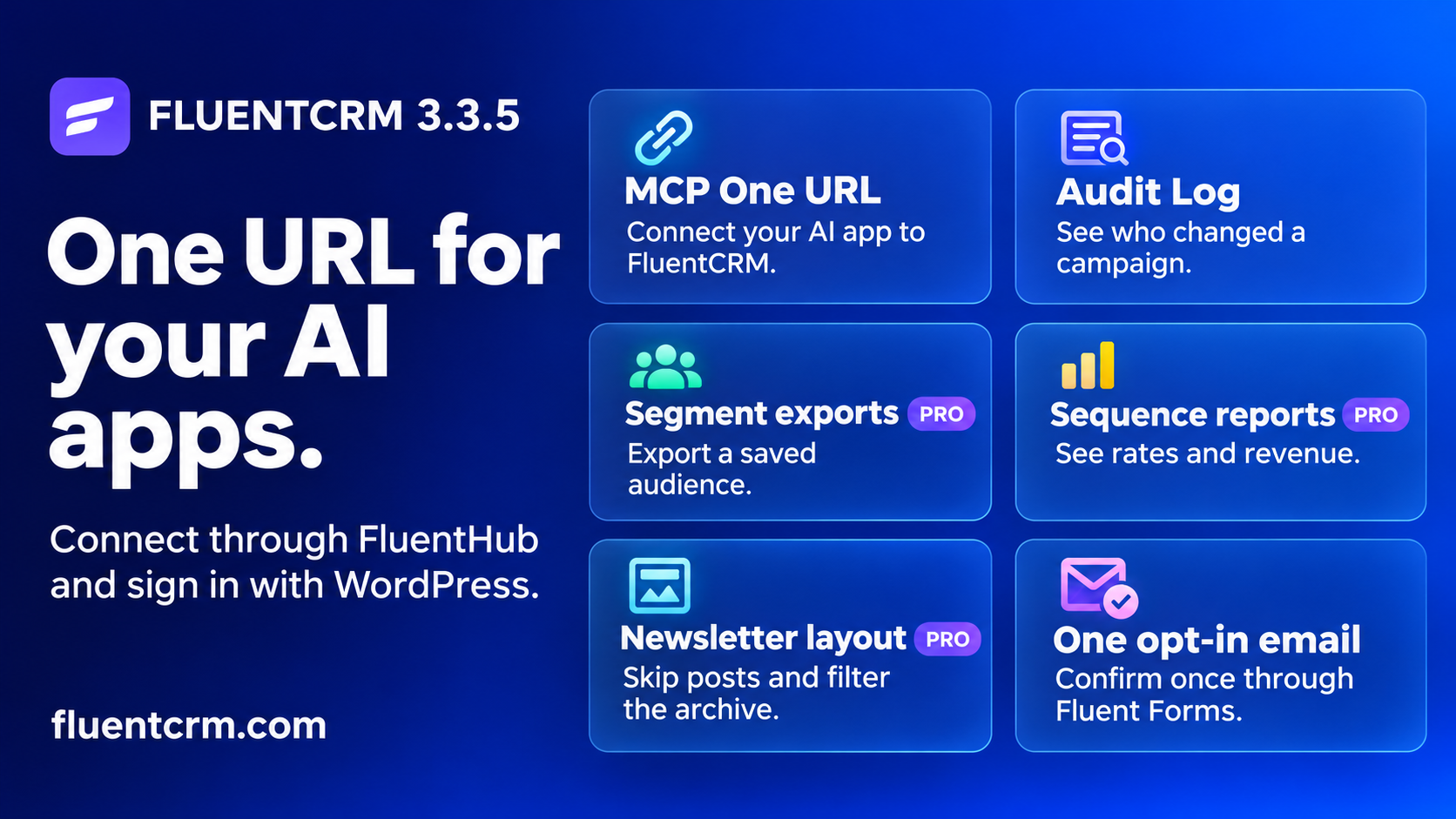
Want to use the same CRM from Claude and Codex? FluentHub gives your site one MCP URL. Each teammate signs in with their own WordPress account, and FluentCRM checks their permissions when an app calls a tool.
What’s new in 3.3.5?
- Connect an AI app through FluentHub using one MCP URL.
- Look up manager actions and export the history you need.
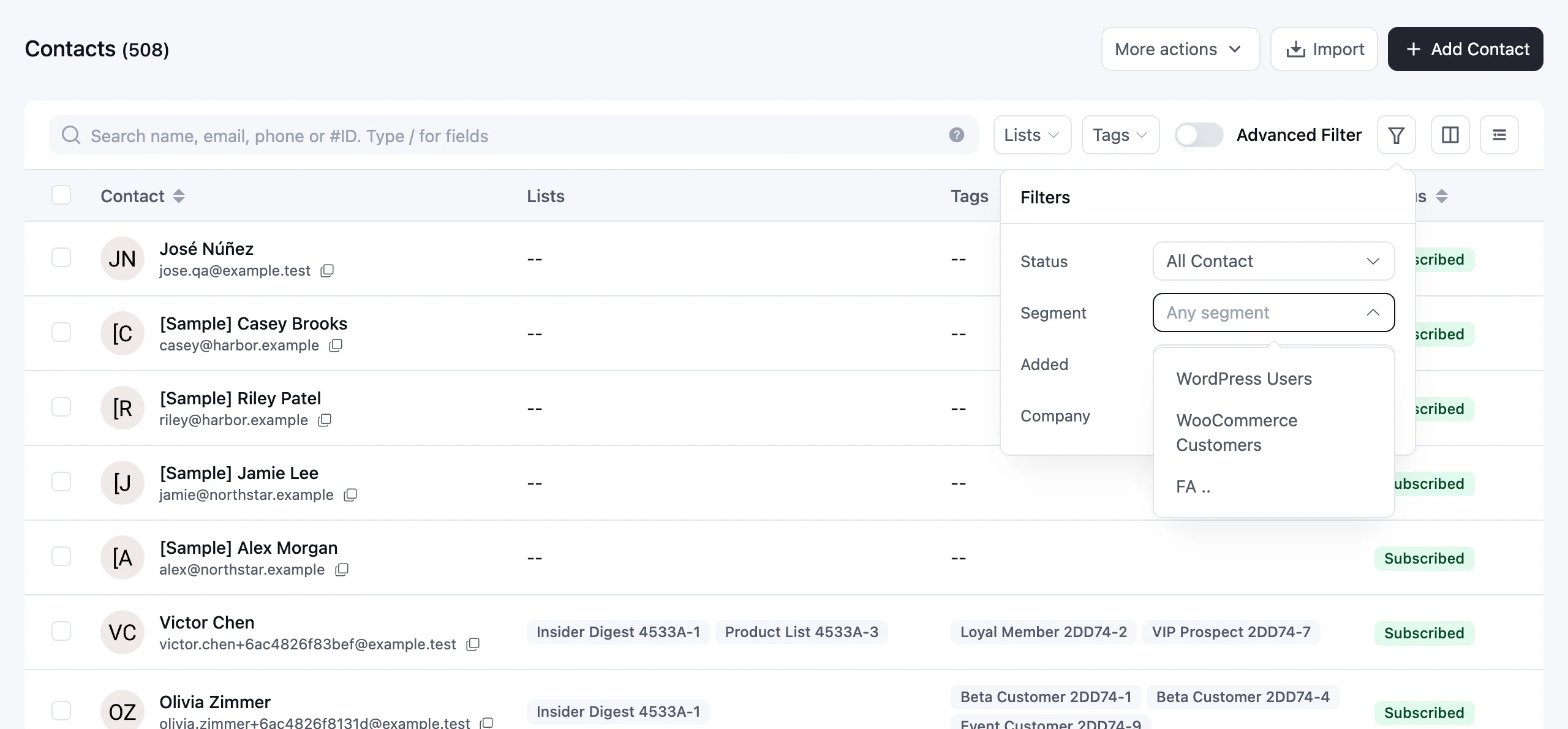
- With Pro, filter All Contacts by a saved segment and export that audience.
- See engagement rates and revenue again in Pro email sequences.
- Lay out a newsletter with two Latest Posts blocks and keep internal campaigns out of your public archive.
- Let subscribers who confirm through Fluent Forms finish signup with one confirmation email.
Connect your AI app with one URL
With FluentHub sign-in enabled and FluentCRM included, open Settings → AI Configuration → MCP for AI Agents. Under Connect with one URL, choose your app. For Claude, click Copy snippet, paste the URL into a custom connector, and sign in with WordPress. The Codex tab gives you the commands to add the same endpoint and sign in.
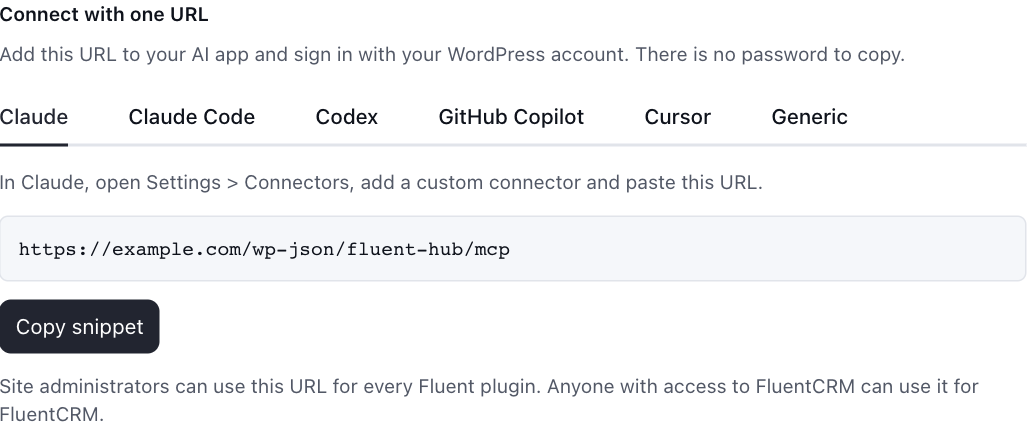
The tools now explain which parameters need correcting, preserve an email’s design during edits, and use fewer tokens. If a saved workflow calls update-contact-automation-status, change it to update-funnel-subscriber.
See who changed a campaign
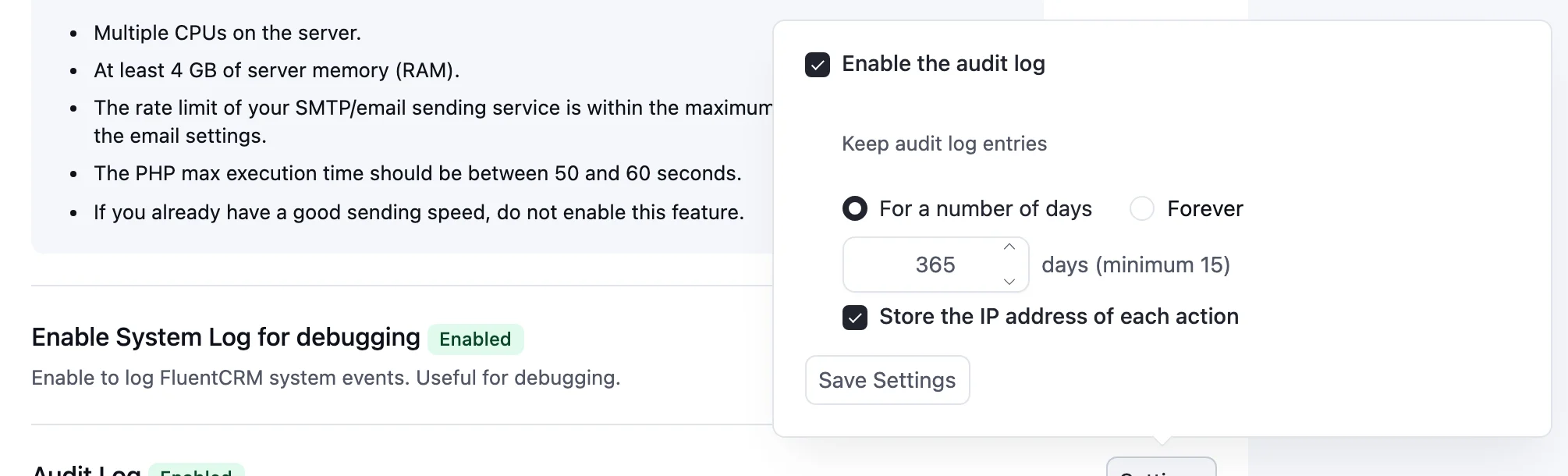
The audit log starts recording when you enable it. Open Addons → Audit Log → Settings, turn on Enable the audit log, and choose how long to keep entries and whether to store IP addresses.
When a teammate asks about a send, open Settings → System Admin Tools → Audit Log. Choose the date range, open Filters, and select the event. Expand an entry to see its details. Export CSV downloads the matching history so you can share just the events you investigated.
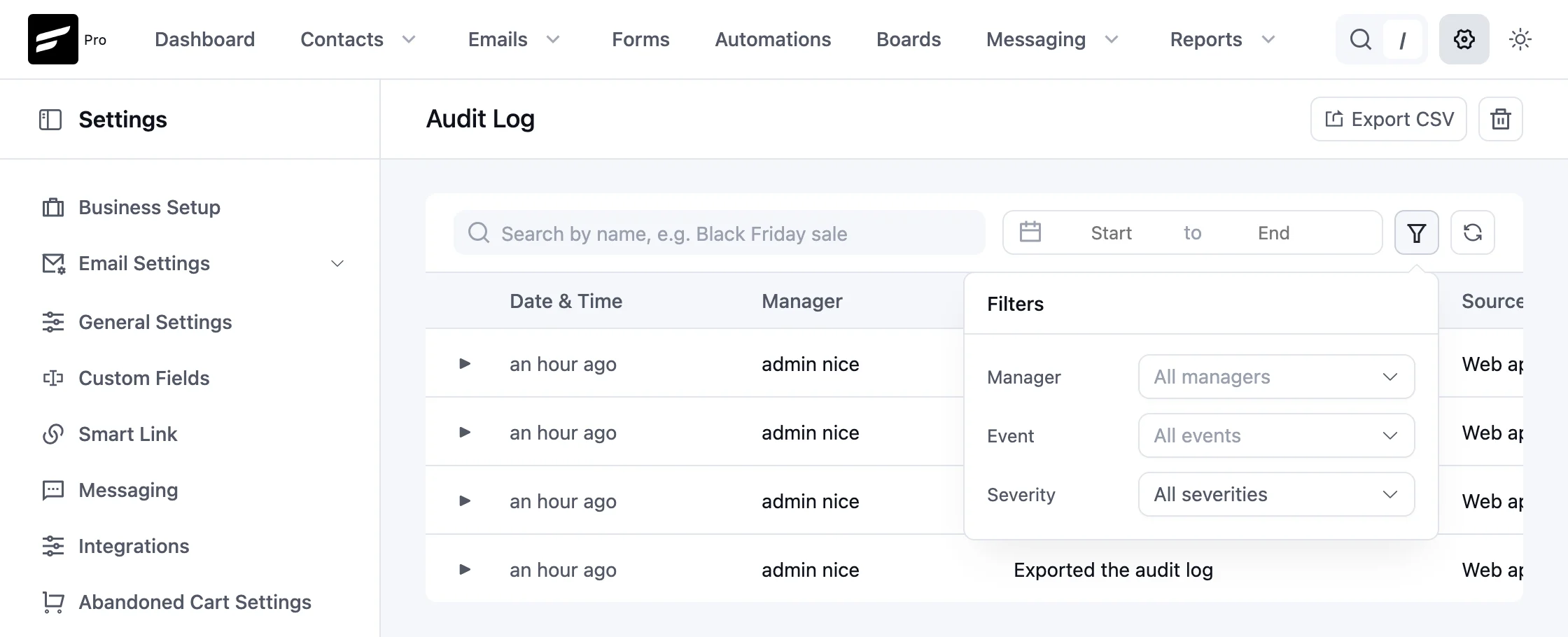
The log also covers bulk contact actions, automation changes, settings and manager permissions. With Pro, you can also look up contact exports and changes to SMS and WhatsApp campaigns.
What’s new in FluentCRM Pro?
Export the subscribers in a saved segment
Suppose your repeat customers belong to a dynamic segment and you want to follow up with those who subscribe to your newsletter. Open All Contacts → Filters, select the segment and choose Subscribed. Apply your newsletter list as well, then export the filtered contacts. You can prepare the audience without rebuilding the segment’s rules.
Read an email’s sequence results
Open an email sequence to see how each message performed. Each email shows open, click and unsubscribe rates beside the counts, plus revenue when available. With anonymous tracking, opens and clicks appear as event totals because one person can generate more than one event.

Give each newsletter story one spot
Feature your newest article in the first Latest Posts block. In a second block using the same filters and sort order, set Skip posts to one. The list starts with the next article. You can also exclude a label such as “Internal” from the public campaign archive to keep staff campaigns out of the listing.
Keep signup to one confirmation
When a subscriber confirms their address through Fluent Forms, FluentCRM recognizes that confirmation. They can finish signup without a second confirmation email. If the feed runs again after a payment, an existing opt-out stays in place.
List and tag imports also preserve existing descriptions when the CSV omits that column. For teams importing the same records regularly, a shorter file can now update names without clearing the descriptions someone already wrote.
Full changelog
- New: Audit Log for manager actions, with filters, CSV export, retention and IP settings. Turn it on in Addons.
- New: Filter All Contacts by dynamic segment and export the results.
- New: Skip posts in the Latest Posts block, and exclude campaigns by label from the campaign archive.
- New: Connect AI apps to FluentCRM with one URL through FluentHub, in Settings > AI Configuration > MCP for AI Agents.
- Improvement: All Contacts filter popover with Status, Segment, Added date, Company and Purchase history.
- Improvement: Current tags in campaign recipients, full names in the automation picker, and a confirmation before switching email editors.
- Improvement: More integrations with logos, and a copy button for the campaign archive shortcode.
- Improvement: MCP tools give clearer errors, keep an email's design when editing it, and use fewer tokens. update-contact-automation-status is renamed to update-funnel-subscriber.
- Fixed: Fluent Forms double opt-in sending a second confirmation email.
- Fixed: Sequence reports show rates and revenue again, and sequence emails use the sequence sender settings.
- Fixed: Email links, webhooks and background requests keep HTTPS.
- Fixed: CSV import descriptions, bulk delete selection in templates and activities, and automation saves.
- Fixed: Dynamic segment sorting and counts, recurring campaign day validation, and Latest Posts preview.
- Fixed: Imported contacts and admin-started message threads are dated in site time.
- Security: Hardened admin request routing, SmartCode output and automation notes.
- Other Improvement & Bug Fixes